Web research
Ask a question about a recent announcement. Oxford Bot searches the web, brings the findings into chat and links to the sources so you can check them.
Oxford Bot · AI workspace
Explore 25 direct app connections in Oxford Bot and 283 specialist AI roles in AgentWorks. Draft a Gmail reply, build a launch team, or connect WeChat Customer Service so customers can chat with your AI cat in WeChat.

Built-in toolkit
Search, file analysis, charts and image generation work inside the conversation. Sign in to turn recordings into minutes or build a private library your assistants can consult.
Ask a question about a recent announcement. Oxford Bot searches the web, brings the findings into chat and links to the sources so you can check them.
Drop in a PDF, Word document, Excel workbook, CSV or image. Ask which clause needs a second look, what changed in the numbers or what to raise with a supplier.
Give it a sales workbook and ask which line grew fastest. Turn the figures into a bar, line, area or pie chart you can inspect alongside the answer.
Describe an image for a campaign or presentation. Generate it in chat, revise the prompt to change the composition, then download the version you want.
Record a meeting or upload audio. Get a transcript, decisions and action items, with owners and deadlines when mentioned. Save the minutes to Smart Brain for the next meeting.
Upload policies, project briefs or past minutes to your private library. Ask what was agreed and see which document supports the answer. You can also import selected material from connected accounts.
Talk through an idea, hear the reply and interrupt when you want to change direction. With Smart Brain enabled, you can ask questions about your own documents by voice.
Take a useful research session or draft with you. Export the conversation as Markdown or plain text for your notes, project folder or next handoff.
AgentWorks specialist library
Choose from 283 specialist AI roles across 18 divisions. Assemble your own team, or start with an AgentWorks runbook for a marketing campaign, an MVP build or incident response.
Browse the specialist libraryLink an AgentWorks workspace and ask, “Show me my five most recent tasks.” Oxford Bot can read a result, check the evidence for a reported status, or queue a new task after you approve it.
How to connect AgentWorksApps & customer channels · Pro & Ultra
Oxford Bot lists 25 direct app connections, plus a dedicated WeChat Customer Service channel. Draft a reply in QQ Mail, follow up an OpenApply AI enquiry or turn a Slack decision into a Jira issue for review.
 WeChat Customer ServiceWeChat Customer Service
 Gmail
 Outlook Mail
 QQ Mail
 Google CalendarOutlook CalendarGmailOutlook MailQQ MailGoogle CalendarOutlook Calendar
 Google Drive
 Notion
 Airtable
 YuqueGoogle DriveNotionAirtableYuque
 Slack
 Microsoft Teams
 Discord
 TelegramSlackMicrosoft TeamsDiscordTelegram
 Jira
 Asana
 ClickUp
 LinearJiraAsanaClickUpLinear
 AgentWorks
 OpenApply AIAgentWorksOpenApply AI
 GitHub
 Gitee
 Cloudflare
 SupabaseGitHubGiteeCloudflareSupabase
 X
 OANDAXOANDA
Workflow templates
Choose one of three templates and up to four connected source accounts. Here is how a request becomes a report, a meeting brief or a handoff you can approve.
Choose a reporting period and the accounts to read. Oxford Bot gathers progress from tickets, repository activity or team messages and organises it into completed work, open risks and next steps with source references.
Use GitHub and Jira to write this week’s pilot update for Slack.
Identify the meeting, then bring together the calendar invitation, related emails and project notes. Get an agenda, the questions still open and the material to have at hand before the call.
What do I need for Friday’s supplier review?
Pick the source account and the destination. Oxford Bot reads the relevant discussion, prepares the issue text and shows you the target project. Review the details and confirm before anything is created.
Turn the agreed onboarding change in Slack into a Jira issue.
Custom assistants
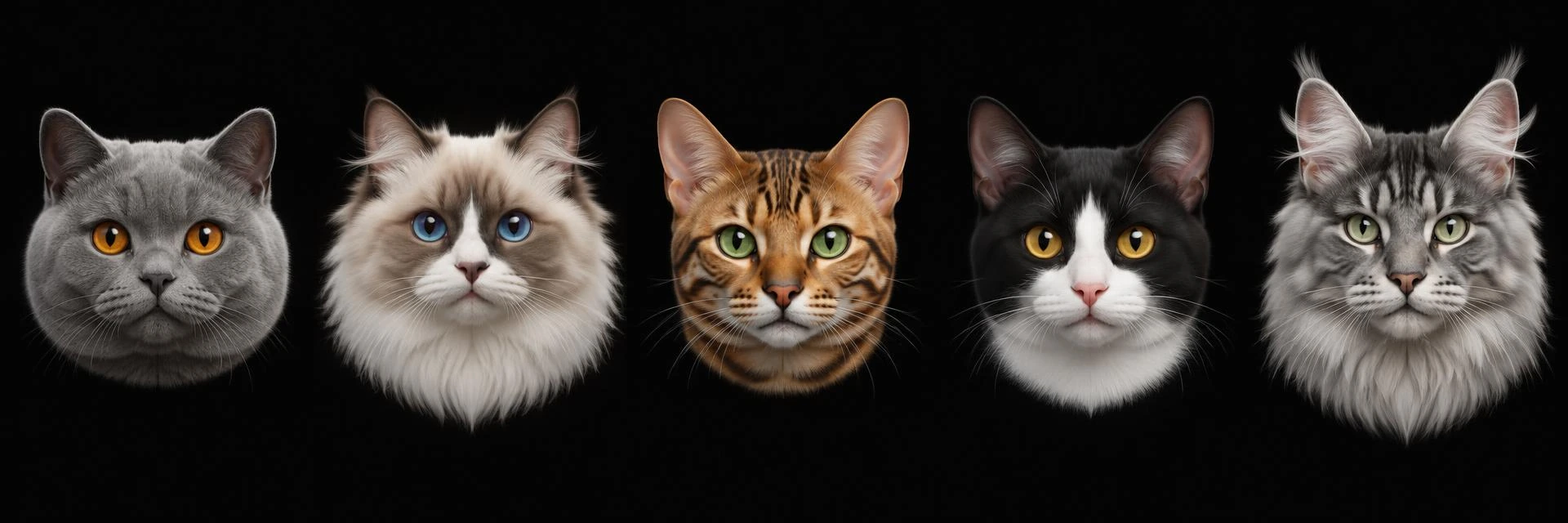
Chat with Oxonian in Normal or Fun mode, or give a specialist a name, a role and one of 50 cat portraits. A free account includes one custom cat alongside Oxonian. Pro and Ultra let you create more, set their instructions and choose their preferred tools.

Try a guest chat on desktop or mobile. Free accounts include web search, file analysis and image generation. Pro and Ultra add Deep Think, custom personas and connected accounts.

Scan to open Oxford Bot. In a supported browser, choose Add to Home Screen or Install app for quicker access.